
Use Revit when you are designing and coordinating a whole building or fitout as a data-rich 3D model. Use AutoCAD when you need precise 2D drawings, detailed linework or to open the DWG files that most of the industry still exchanges. Many firms need both, and the right mix depends on your project portfolio and on what your consultants already use. This guide is written for the people who commission and pay for the work: business owners, executives and facilities managers with leasehold offices or warehouses, rather than the drafters who operate the software.
TL;DR
- AutoCAD is a general-purpose 2D drafting and 3D modelling tool. Revit is a Building Information Modelling (BIM) platform where changes flow through plans, elevations and schedules automatically.
- Revit is not easier than AutoCAD. It has the steeper learning curve, and firms that simply “draw” in it get little benefit.
- AutoCAD is not being phased out. It is moving towards specialised drafting, coordination and legacy documents.
- For a tenant, the practical question is not which licence to buy but which format your designers and builders will deliver, and who is accountable for coordinating them.
- SketchUp suits fast concept work. Procore and Autodesk Build manage the construction site, not the design model.
Table of Contents
- What each program actually does
- Which is easier to learn?
- What it costs in Australia
- Is AutoCAD being phased out?
- Revit vs SketchUp
- PlanGrid, Autodesk Build and Procore
- What it means when you are the tenant
- Standardisation beats software
- A simple decision guide
- Where we fit
- FAQ
- Sources
What each program actually does
Autodesk, which makes both products, describes AutoCAD as a general-purpose 2D drafting and 3D modelling tool suited to precise drafting, documentation and tasks that need tight control over linework. Lines, arcs and text are just that. A wall in AutoCAD is two lines unless someone gives it more meaning.
Revit works the other way round. It is a parametric BIM platform, where elements are intelligent components. Move a wall and the plan, the elevation and the door schedule all update. That is why Autodesk positions it for complex, collaborative building projects, and AutoCAD for standalone 2D drafting and schematics.
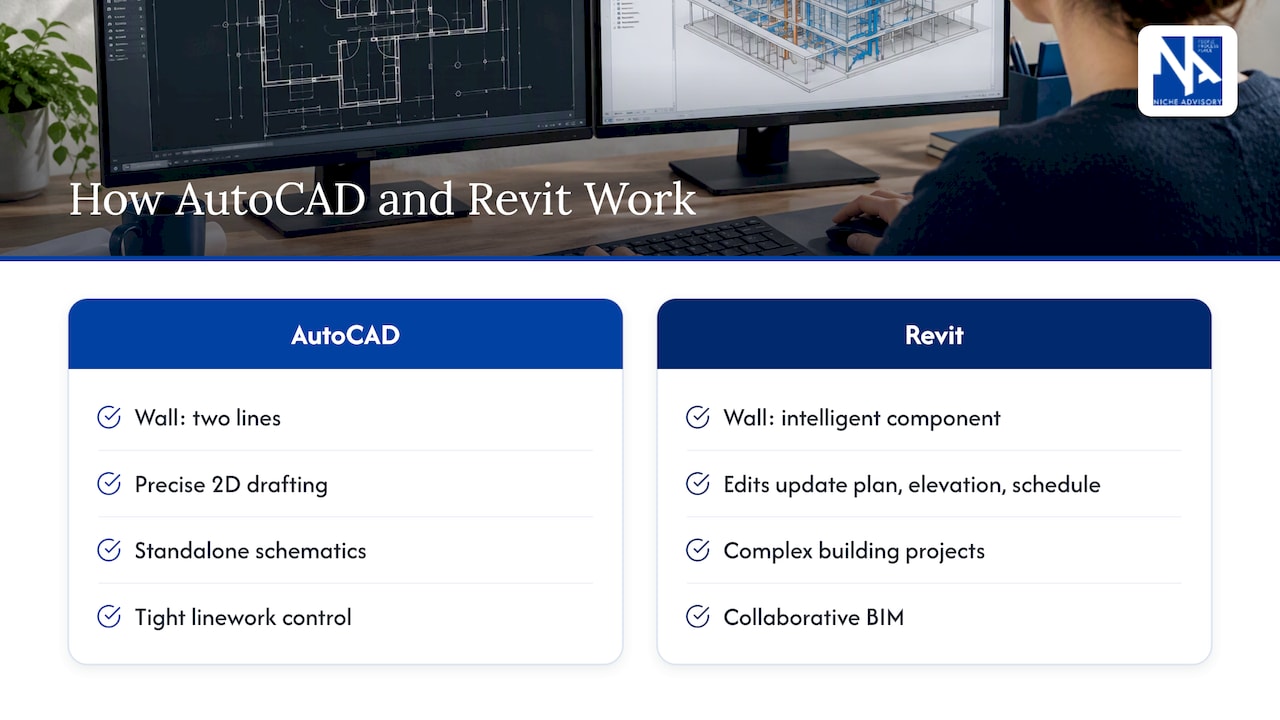
A useful analogy for non-technical readers: AutoCAD is a very precise digital pencil. Revit is a digital building that happens to produce drawings.
Where the two differ day to day
| Question | AutoCAD | Revit |
|---|---|---|
| Core idea | Drafting: lines, layers, blocks | Modelling: walls, doors, rooms as data |
| Changing a design | Edit each drawing affected | Edit the model once, views update |
| Schedules and quantities | Manual or via add-ons | Generated from the model |
| Multi-discipline coordination | Overlaid drawings, checked by eye | Linked models, clash detection |
| Learning curve | Gentler | Steeper, needs construction knowledge |
| Best for | Details, 2D layouts, legacy files, small jobs | Larger, multi-consultant projects |
One caution on file exchange. The core AutoCAD program cannot export DWG straight to IFC, the open format used to move models between BIM programs. If your consultants work in different platforms, translation steps like this are where time and money leak.
Which is easier to learn?
Neither is simple, but they are difficult in different ways. AutoCAD is quicker to pick up because it behaves like drawing. Revit asks the user to understand how buildings go together, because every element has a type, a level and relationships to other elements. AEC Labs’ 2026 assessment of Australian practices makes the same point: Revit is not easier, it just rewards that deeper understanding.
AutoCAD still teaches useful habits. Scale, annotation standards and precise input carry straight over to Revit, which is why many training providers suggest starting there for people new to the field.
For a business owner, the learning curve matters in one way: it shows up as a productivity dip. Firms moving from AutoCAD-heavy workflows to BIM commonly see output fall during training before the gains arrive. If a consultant is mid-transition on your project, ask how experienced the actual team is, not the firm.
What it costs in Australia
Prices change, so check the vendor before you commit. As at October 2026, Autodesk’s Australian store lists these examples, all excluding GST:
| Option | Listed price |
|---|---|
| AutoCAD Web | From A$160 per year |
| AutoCAD Revit LT Suite (small teams) | A$990 per year |
| Revit (standalone) | From A$364 per month, billed monthly |
Autodesk also sells AEC Collections for firms that need both programs plus other tools, which usually works out better than buying products one by one.
Licences are the small number, though. Training, templates, hardware and the time lost in transition cost more. If you are comparing consultant quotes for a fitout, a lower fee from a team that is learning a new platform on your project is not necessarily cheaper.
Is AutoCAD being phased out?
No. The same AEC Labs assessment says AutoCAD’s role is shifting from primary building design to specialised drafting, coordination and legacy document support. Learning it in 2026 is still worthwhile, especially for detailing, 2D fitout layouts, existing-conditions drawings and as a stepping stone.
What has changed is the centre of gravity. In Australia, Revit dominates large commercial, health and education projects over about A$10 million, while ArchiCAD or CAD-only workflows stay common in boutique and smaller practices. Its estimated share is highest among building services engineers, which matters if your fitout is mechanically or electrically complex.
Revit vs SketchUp
People also compare Revit with SketchUp, and the two solve different problems. SketchUp is fast and flexible for early massing and visual concepts, and it is cheaper, which suits small teams and simpler workflows. Interscale’s comparison frames Revit as the BIM tool that produces coordinated construction documentation straight from the model.
For a tenant, a sensible split looks like this:
- Early test fits and concepts: SketchUp, AutoCAD or Revit are all workable. The aim is to compare layouts and capacity, not to document anything.
- Tender and construction documentation: Revit or well-managed CAD, with consistent standards.
- Anything that will be priced competitively by builders: drawings must be complete and coordinated, whichever tool made them.
PlanGrid, Autodesk Build and Procore
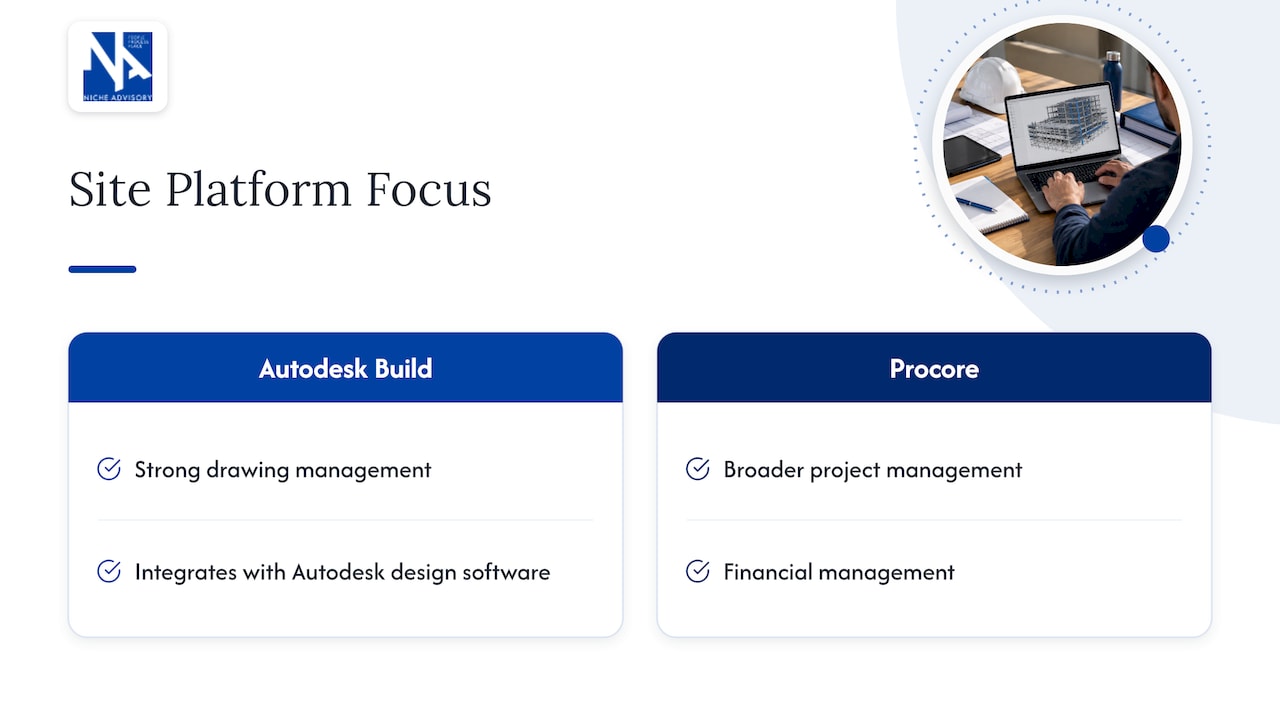
These are not drawing tools. They manage documents, RFIs, inspections and defects on site. PlanGrid is now part of Autodesk Build inside Autodesk Construction Cloud, and the usual comparison with Procore is that the Autodesk product is strongest on drawing management and integration with Autodesk design software, while Procore leans towards broader project and financial management. Pricing for both is quote-based or tiered, and published figures are US-based, so ask for Australian quotes.
None of this decides your Revit or AutoCAD question. A builder picks its site platform for its own reasons. What you should care about is that drawings, RFIs and approvals are traceable, and that you can see who instructed what. That is a governance question, which our guide to project governance for construction covers.
What it means when you are the tenant
If you lease an office or warehouse, you probably will never open either program. But software choices still land on your budget through five channels.
- Design coordination. Disconnected 2D drawings create what some call coordination debt: gaps between architecture, engineering and trades that surface as rework and revisions. Interscale’s Sheldon case study reports firms cutting project delivery time by around 35% after moving to BIM workflows. That is one firm’s result, not a promise, but it shows where the gains can come from.
- Variations. Clashes found in a model cost little. Clashes found on site cost a lot.
- Make-good. At lease end, you may need accurate as-built drawings to scope and negotiate reinstatement. Hand-me-down drawings in mixed formats make that harder.
- Handover. Ask for native files and PDFs, not PDFs alone. You will need them for the next move, alteration or lease review.
- Interoperability. If your architect works in one platform and your services engineers in another, translation workflows such as IFC can be expensive. Ask who bears that cost before you sign.
Questions to put to a design team
- Which platform will you use for documentation, and which will your engineers use?
- Will you coordinate in a federated model, or by overlaying 2D drawings?
- Who sets templates and standards? BIM success depends on what consultants call BIM management: standard templates, libraries and workflows. Without it, even a capable Revit team stumbles.
- Do you draw in Revit as you would in AutoCAD? This is the classic trap. Interscale warns that it leads to poor model data and more errors.
- What will we receive at practical completion, and in which formats?
Standardisation beats software
The strongest evidence in the research is about process, not product. In a K2LD Architects case study, a BIM consultancy reports a custom Revit template and standards delivering a 40% reduction in documentation time and a sharp fall in revision cycles. It is a vendor-published case, so treat the figures as indicative. The lesson holds anyway: the same tool performs very differently under different management.
The same applies to the tools around it. One engineering firm using Bluebeam Revu for digital markups reported saving about A$4,000 a month on printing and increasing workstation density by 10%. The point for a tenant: collaboration technology can shrink your footprint, not only speed up drawings, and footprint is rent.
A simple decision guide
| Your situation | Likely approach |
|---|---|
| Small office refresh, one consultant | 2D CAD or Revit LT is fine; focus on a clear brief and complete documentation |
| Mid-sized fitout with services engineers | Ask for coordinated documentation, ideally a shared model for services |
| Large floorplate, multi-floor or campus | Expect a BIM workflow and set standards at the outset |
| Warehouse with fitout or mezzanine | Drafting-led documentation can suit; make sure structural and services drawings reconcile |
| Lease end approaching | Gather existing drawings now; get accurate as-builts before negotiating make-good |
If you run a design practice yourself, the logic is similar: choose software to match your portfolio and your partners’ tools, not the industry’s loudest opinion.
Where we fit
We act exclusively for tenants and owner-occupiers, never landlords, so our advice on design and delivery is independent of any builder or software vendor. We bring workplace strategy together with execution: workplace design, project and construction management and make-good negotiation. That means someone on your side asks the questions above, checks that documentation is coordinated, and keeps the budget honest. If you are planning a move or fitout, start with our office fitout cost benchmarks, or talk to us about your premises.
FAQ
Is Revit better than AutoCAD?
It depends on the job. Revit is better for coordinated, multi-discipline building projects because the model drives every view and schedule. AutoCAD is better for precise 2D drafting, details and working with legacy DWG files. Many firms keep both.
Is Revit or AutoCAD easier?
AutoCAD is easier to start with because it works like drawing. Revit takes longer because users must understand how buildings and their systems are built. Expect a temporary productivity dip when a team switches.
Is learning AutoCAD still worth it in 2026?
Yes. AutoCAD is not being phased out, and its drafting discipline carries over into Revit. Its use is moving towards detailing, coordination and legacy documents rather than primary building design.
Do I need to buy either program as a tenant?
Not usually. Your architect, designer or project manager holds the licences. What you need is clarity on which formats you will receive, who coordinates the consultants, and that you get native files at handover.
Is Procore or Autodesk Build better?
They solve a different problem from Revit or AutoCAD, managing documents and site workflows. The right one is usually the platform your builder already runs well. Ask for Australian pricing, since published figures are mostly in US dollars.
Sources
- Differences between AutoCAD and Revit products (Autodesk Support)
- Can AutoCAD export a DWG to the IFC file format? (Autodesk Support)
- Autodesk Australia: Revit LT pricing
- BIM Adoption in Australian Architecture and Engineering Practices: A 2026 Market Assessment (AEC Labs)
- Revit vs SketchUp: Complete Comparison (Interscale)
- Procore vs PlanGrid (Autodesk Build) (AEC Hub)
- How Interscale Helped Sheldon Deliver Projects 35% Faster with BIM
- K2LD Architects: Using BIM Services to Cut Project Delivery Time by 40%
- Bornhorst and Ward case study (Bluebeam)